Plan a family dinner for ten
Planning dinner for ten means answering a few questions: What should we cook? How much do we need? What should go on the shopping list?
Meals.one is now live. I built it to give your AI assistant access to the recipes you like to cook, so it can help you put a meal together using your saved collection. The meal plan and shopping list live in the app, ready for you to open and review.
To show how that works, I used ChatGPT to plan a family dinner for ten. Here’s how the conversation went from saved recipes to a menu and shopping list.
Start with recipes you’ve saved
The starting point was my recipe collection in meals.one. With the app connected to ChatGPT, I asked it to show me recipes for a family dinner the following Friday.
A request like this gives the assistant a clear starting point:
We have 10 people coming for dinner next Friday. Show me the recipes I’ve saved in meals.one.
ChatGPT returned recipes from my collection, with links and their saved serving counts. I could see options for starters, mains, sides, bread, and dessert in the conversation.
Having those serving counts available matters. A recipe that makes five portions needs a different place in a dinner for ten than one that makes twelve.
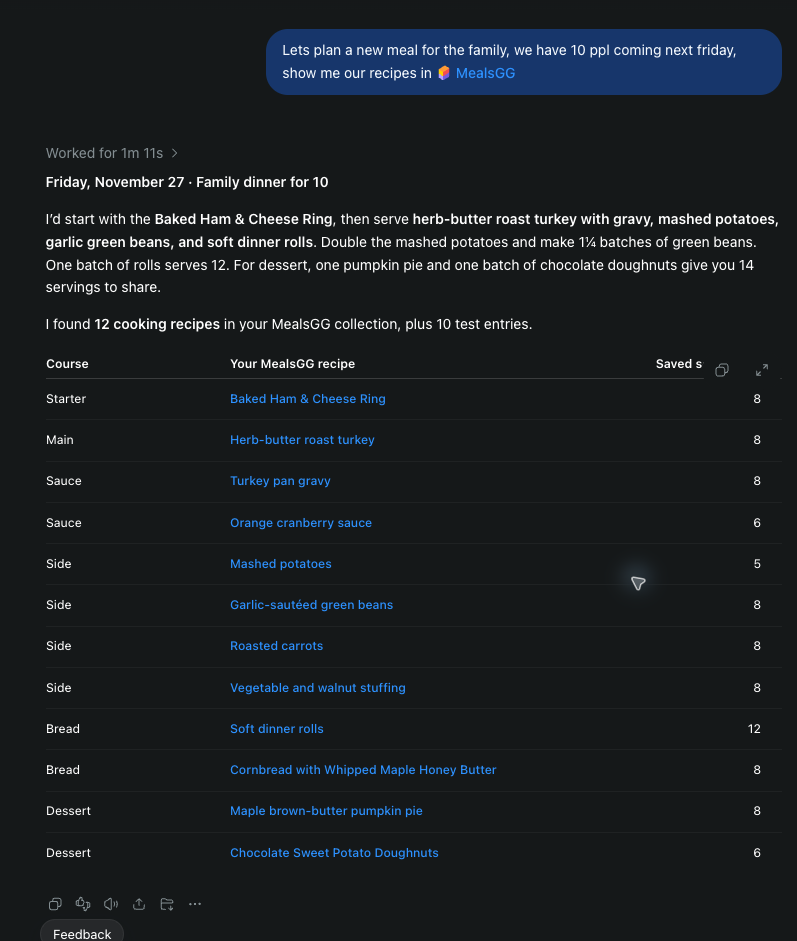
ChatGPT works with recipes saved in meals.one and their serving counts. The ChatGPT connection is labeled MealsGG in these screenshots.
View full-size screenshotPut together a meal for ten
Next, I asked ChatGPT to choose the recipes and put the meal plan together:
Put together a meal plan for that night for 10 people. You can pick the recipes.
The menu included:
- Starter: a baked ham and cheese ring, cut into ten slices.
- Main: herb-butter roast turkey with pan gravy.
- Sides: mashed potatoes, garlic-sautéed green beans, and soft dinner rolls.
- Dessert: maple brown-butter pumpkin pie and chocolate sweet potato doughnuts.
The portion guidance followed the saved recipes. My mashed-potato recipe serves five, so the plan called for a double batch. The green-bean recipe serves eight, so it called for 1¼ batches. The rolls and desserts left some extras to share.
ChatGPT saved the meal as Friday Family Dinner and returned a link to open the plan.
That gives the conversation a useful destination: a named meal with its courses, selected recipes, and portions saved in meals.one.
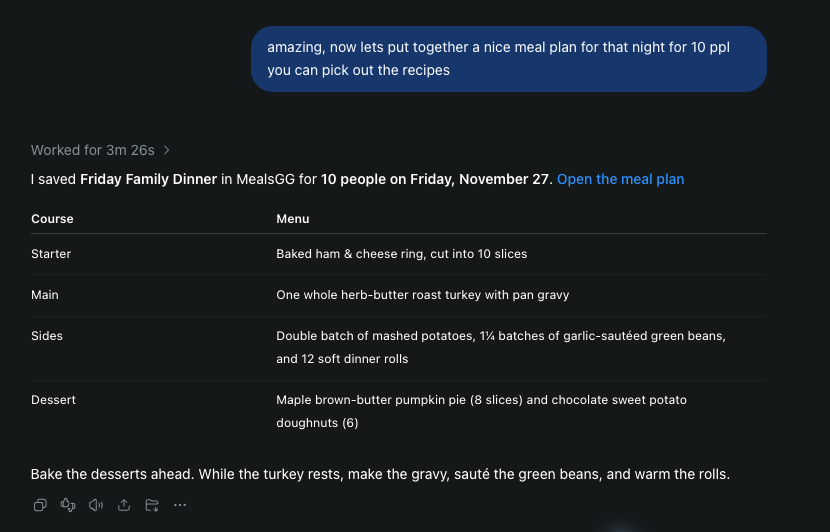
ChatGPT confirms the saved Friday Family Dinner plan and summarizes its menu and portions.
View full-size screenshotAsk for the shopping list
With the meal planned, my next request was simple:
Now make a shopping list for that day.
ChatGPT created a shopping list for the eight recipes in the dinner plan and returned a link to it. Its response also summarized the groceries by aisle.
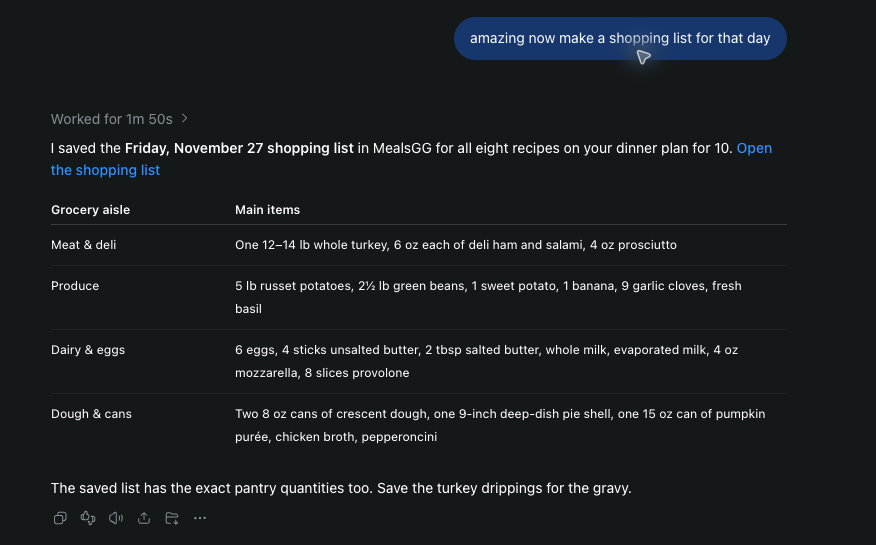
A follow-up request creates a shopping list for the planned meal.
View full-size screenshotIn meals.one, the Friday Family Dinner shopping list showed ingredient requirements generated from the saved portions, organized into sections such as bakery and dairy. Source links appeared alongside the requirements.
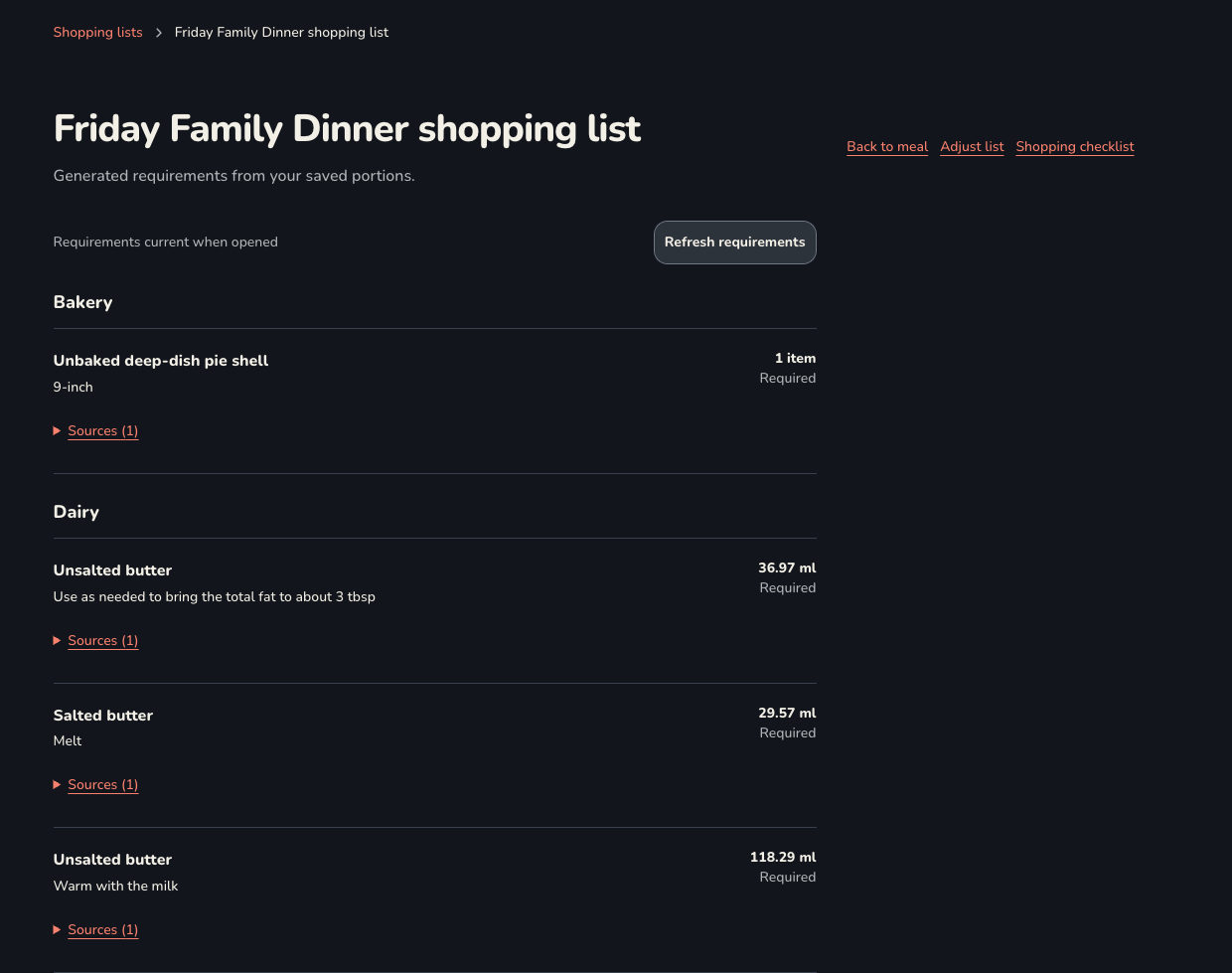
The shopping list in meals.one shows requirements generated from saved portions.
View full-size screenshotThis keeps the ingredients connected to the meal they’re for. You can open the saved list and review the amounts as you prepare to shop. Check it against what you already have at home, then decide what you need to buy.
Try it with a meal you’re already planning
A family dinner is one way to use meals.one. Start with a meal you already have a reason to organize and recipes you’d like to cook.
Save those recipes in meals.one. With your AI assistant connected, tell it the occasion and how many people you’re feeding. Ask it to put together the meal plan, review the menu, and request a shopping list when you’re happy with the choices.
The workflow is straightforward: your saved recipes become a meal plan, and the saved portions provide the requirements for its shopping list.